Table cell height control
For longer markdown note texts it’s sometimes a pain to scroll through if you are interested in the next facts beneath them at the moment. This feature should come in handy here: By activating the checkbox in the top right corner of the title cell (first table column), the maximum height of the content cell with the long note is set to about 80% of the viewport height. This makes the content itself scrollable.
Where applicable, the function can be activated by default (or simply made available) and can also be deactivated independently.
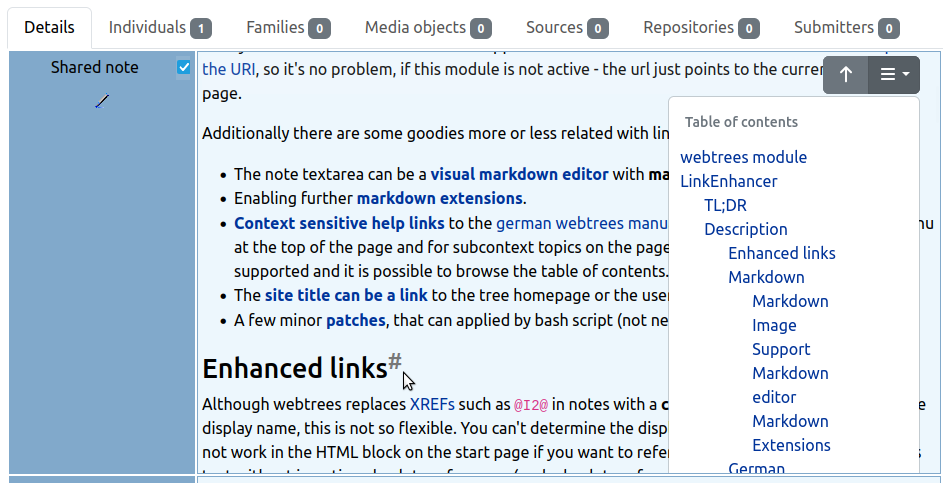
In combination with the table of contents extension (position = dropdown), you can navigate through the text easily — assuming the text is structured with headings.
You can decide if the checkbox is always visible or hidden until you hover the fact title cell with the mouse cursor. If the text length of the content cell doesn’t exceed the defined maximum height, the checkbox can not be activated.