German webtrees manual (WTHB)

A context sensitive help link to the German webtrees manual can be added to the small navigation menu. Context links are also available for components on pages provided by custom extensions (e.g. on the individuals page, the start page or items in the main menu) — these can be identified by the i symbols in a circle.

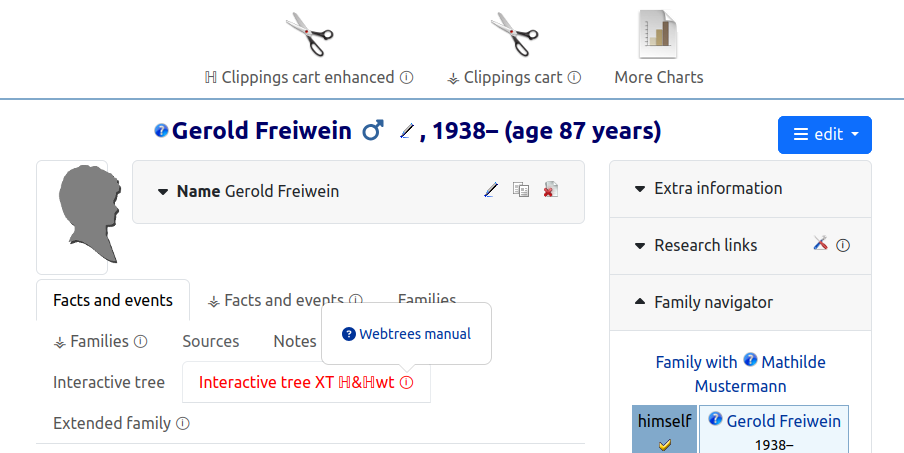
To ensure that this function is also available in the admin backend, a modified version of views/layouts/administration.phtml must be registered. This module attempts to use the custom module vesta_common (if installed and enabled) or its own version of the view layout file. Alternatively, patch P002 could also be applied to the core code.
If the webtrees page is displayed in a language other than German, it is possible to open the webtrees manual URL via a translation service (Google Translate). This can be enabled or disabled as a site setting or delegated to the visitor to decide.
Note: Due to AI bot restrictions on the GenWiki, this feature is currently useless.
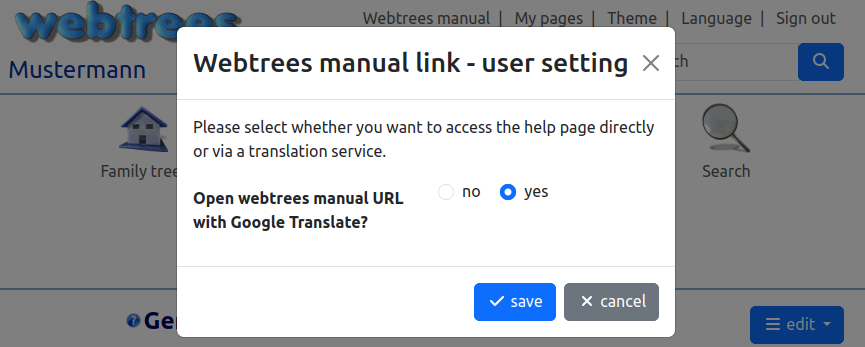
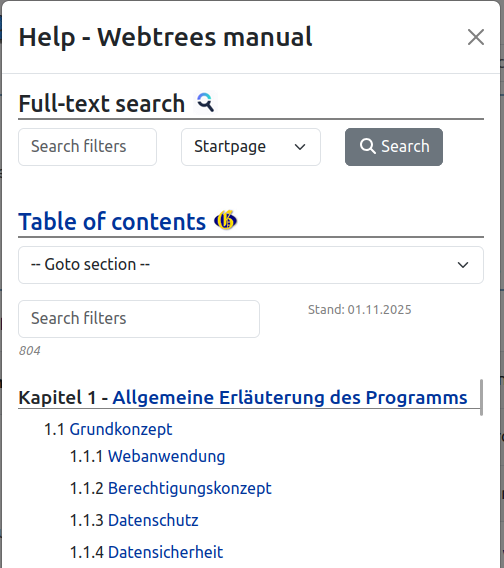
The settings dialogue can be accessed via the help submenu in the top menu. When this option is enabled, you will also find a link to a dialogue box that displays a full-text search in the German webtrees manual (using various search engines) and the table of contents. How the TOC itself is produced (GenWiki round trip, generation, Weblate) is documented on the WTHB TOC Language Pipeline page.
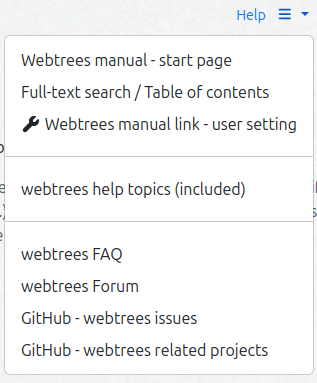
Submenu
In addition, the submenu contains an overview of the help topics included in webtrees and customisable external help links (e.g. webtrees FAQ and forum, GitHub repo, etc.). The top menu item can be split into two links — one to directly open the context help article and the other to open the submenu.